- Fast and easy editing: cut, crop, adjust colors and speed
- One-click AI tools: auto subtitles, noise removal, and more
- Hundreds of filters, transitions, titles, overlays
Add a Watermark to a Video Online
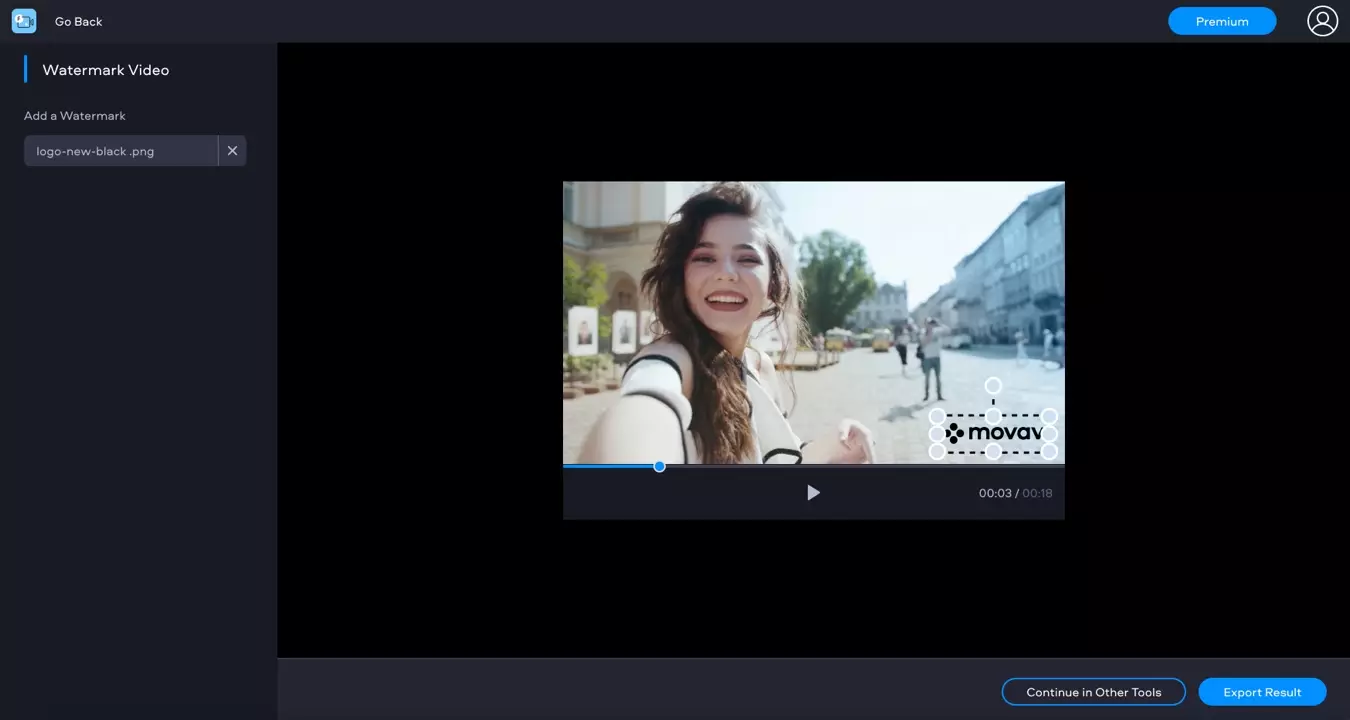
How to watermark a video using the Fastreel online editor
Upload your video to the app
Upload the MP4 , MOV, MKV, AVI, and WMV videos you want to add a watermark to by using the button or the drag-and-drop area above. Your files must be under 500 MB.
Add a watermark to a video
Add your watermark in PNG or JPEG format by clicking Upload Image. Usually, transparent images are used as video watermarks. You can move the image and change its size if you want.
Save and download the result
Click Continue to apply the changes and open the export settings window. Select an appropriate save option to download your video.
Why use Fastreel to add a video watermark?
More video-editing tools
Create a sildeshow
Make a video
Compress a video
Cut a video
Crop a video
Change video speed
Merge videos
Mute a video
Reverse a video
Add music to a video
Rotate a video
Resize a video
Loop a video
Add text to a video
Make a stop-motion video
Add filters to a video
Add subtitles to a video
Flip a video
Convert images to a video
Make a video collage
Make a split-screen video